 Snapik 1.10 · for Windows and Mac
Show what to fix instead of describing it
Snapik is a screenshot tool for AI coding agents such as Claude Code, Codex and Cursor. It runs on Windows and Mac, costs €19 once and starts with 7 days free.
Capture the screen, click the spot, type a few words. Snapik puts your screenshots and notes into one message. Paste it into an AI chat or send it to your designer on Telegram with one CtrlV⌘V. They get it the first time.
Already tried it? Buy for €19
Three steps and you're done
No extra windows, no editor. It all happens right on the screen you're working on.
Press a key
Print Screen⌥⌘S or a shortcut of your own. The screen freezes and you drag a box around the part you want to show.
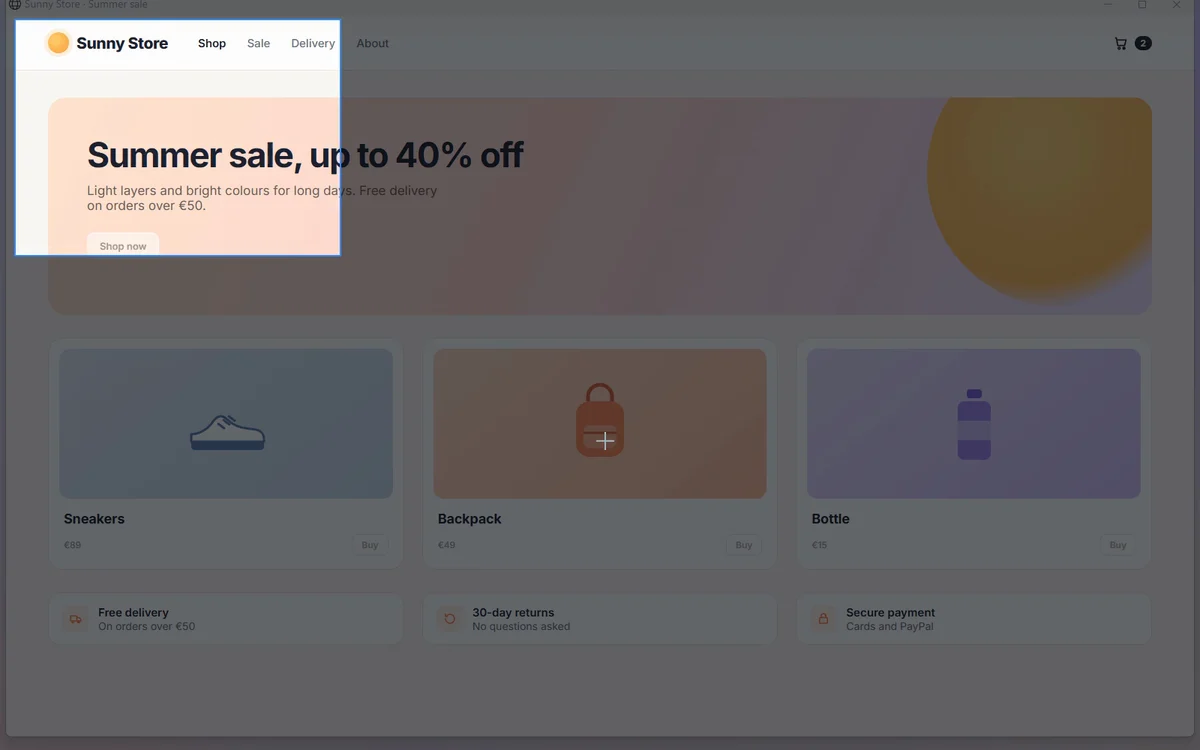
Mark it, say what's wrong
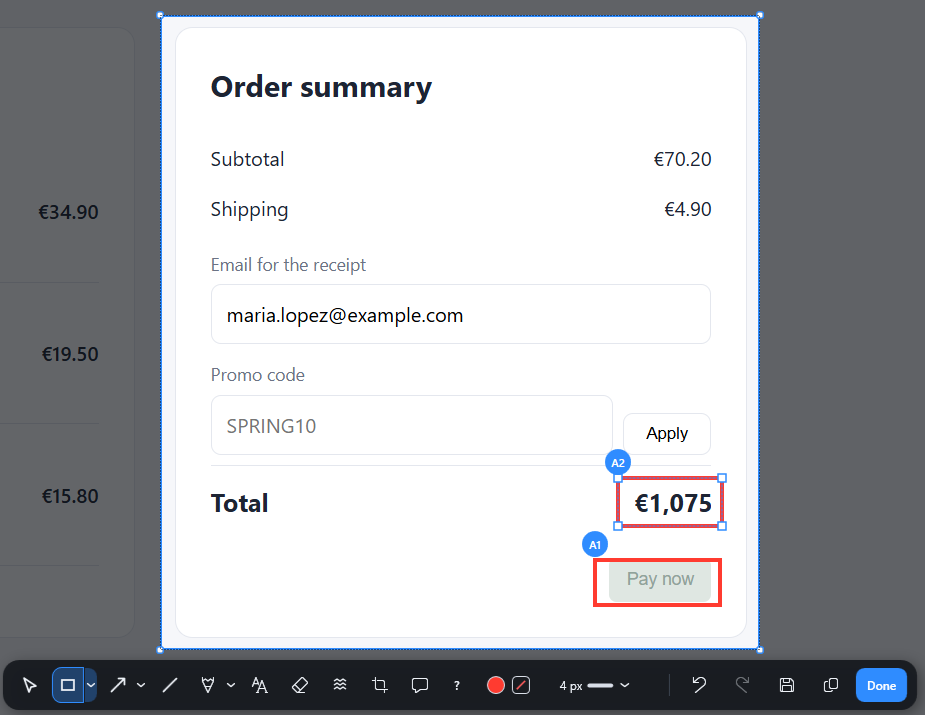
Box a button or a whole block and a label like A1 appears, with a field for your note. A is the screenshot, 1 is the spot on it.

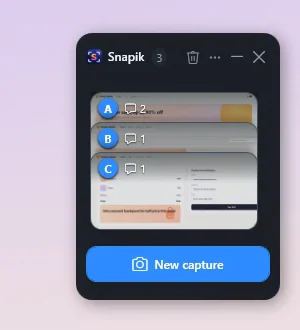
Add more if you need to
Another screen, another page. Screenshots line up in a small strip at the side, each with its own notes.
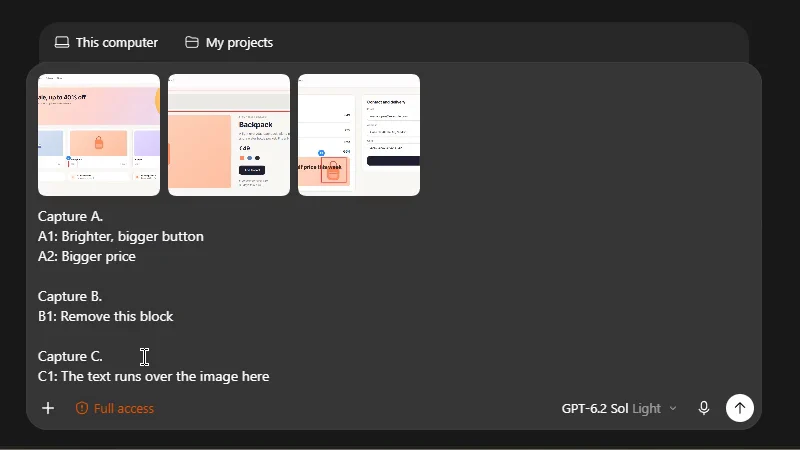
Then one Ctrl+V⌘V, and it's all in the chat
No more pasting screenshots one by one and explaining which is which. One Ctrl+V⌘V pastes them all as one message, with your notes below, numbered to match. Whoever reads it, AI or human, sees A1 on the image and the note for A1 right under it.
- All screenshots in one message
- Numbers on the images match the numbers in the text
- Works in any chat that takes images
You already do this. It just takes longer
The same request sent two ways, the usual one and with Snapik. It plays out like this with an AI, a designer or a contractor.
The usual way 5 messages, 2 rounds
With Snapik 1 message
Small things you'll be glad about
The details that save you from an awkward paste.
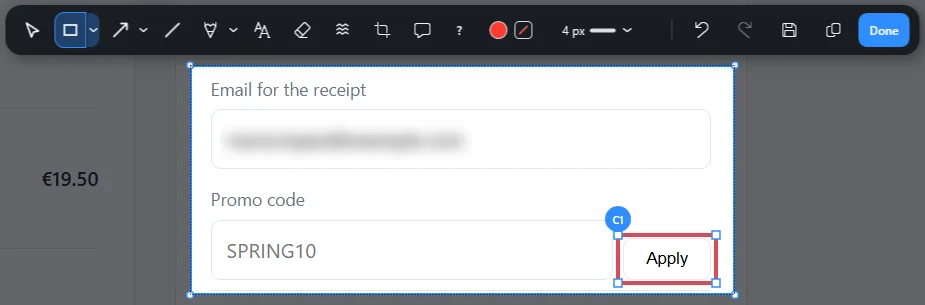
Blur what shouldn't be seen
A password or a card number. Drag over it and the chat gets it blurred, no separate editor needed.
Your screenshots stay local
Snapik never uploads your screenshots or notes. A screenshot leaves your computer only when you paste it into a chat yourself.
Made a mistake? Undo
Wrong box, wrong blur, cropped too much. Ctrl+Z⌘Z undoes it, as many steps back as you need.
Try it free, then buy once
The first 7 days are free
Every feature works during the trial, and you start without a card or an account.
Then one purchase
No subscription. Pay once, it's yours, and updates are free.
Windows and Mac, one license
One purchase covers two computers, Windows or Mac in any mix. Snapik runs on Windows 10 and 11 and on macOS 14 and later.
Yours for good. Free updates.
- Screenshots with numbered notes
- A strip of up to 26 screenshots, one letter each
- One Ctrl+V⌘V into any chat
- Blur, crop, undo
- Free updates
Guides and comparisons
How to paste screenshots into Claude Code, Codex and Cursor, and what changes if you switch from Snagit or Snipping Tool.
 How to give Claude Code several screenshots at oncePaste or drop several screenshots into one Claude Code prompt, tie each note to its [Image #N] chip, plus the image size and count limits.Read1Alt+VHow to paste screenshots into Claude Code on Windows and WSLClaude Code pastes images with Alt+V on Windows and in WSL. Why Ctrl+V sometimes pastes nothing, and what to do about "No image found in clipboard".ReadHow to give an AI coding agent a screenshotPaste keys for screenshots in Claude Code on Windows, macOS and the desktop app, and in Codex, plus how to send several with a note on each.Read
Questions before you buy
How is this different from a regular screenshot?
A regular screenshot is one picture, and then you explain in words where everything is. Snapik takes several screenshots, numbers the spots, keeps your notes under the same numbers and pastes it all as one message. The reader sees the spot and reads right away what to do with it.
Where can I paste?
Into any chat that takes images: ChatGPT, Codex, Claude, Cursor, Telegram, WhatsApp. Snapik just puts the screenshots and text on the clipboard. Where you paste them is up to you.
Are my screenshots sent anywhere?
No. Snapik doesn’t send your screenshots or notes to us or anyone else. They stay on your computer until you paste them into a chat.
Will Snapik send anything on my behalf?
No. It copies everything to the clipboard. You paste and press Send yourself.
Is it a subscription?
No. Pay once and it's yours. Updates are free.
What if it's not for me?
Write to support@getsnapik.com within 14 days of purchase and we'll refund you in full. Details are in the terms.
Is there a Mac version?
Yes, for macOS 14 and later, on Apple Silicon and Intel. One license works on two computers, so a Windows PC and a Mac are both covered.
Show it, don't explain it
One key, numbers on the screenshot, one Ctrl+V⌘V into any chat.